Submitting a job
To begin the annotation process, submit your nucleotide sequence in FASTA format. You can paste the sequence directly into the text input field or upload a FASTA file using the Browse button. All sequences MUST be nucleotide sequences.
The submit options contain three sections. Organism for specifying additional (optional) description tags for the submitted organism, Annotation for annotation processing settings and Replicons to provide additional optional sequence metadata, e.g. completeness and topology for each provided contig.
Organism

The Organism section contains descriptive fields for the organism being annotated. All fields are optional. The Genus and Species fields feature auto-completion, automatically querying a database of available organisms. The Strain field lets you specify a particular strain from the selected genus.
For sequence identification, Locus prefix and Locus tag prefix can be used to add prefixes to all sequences. This helps in organizing and identifying your sequences within the annotation results.
Annotation
The Annotation section contains options that directly alter the annotation process, these options are the following:
- Complete genome: Flag to indicate that the sequence belongs to a complete genome and not a fragment
- Keep contig headers: Keep the original contig headers for the replicon table.
- Min contig length: The minimal contig length to consider for annotation
- Translation table: Which translation table should be used to identify Features
- Mono-/Diderm: Is your organism Mono or Diderm (or unknown)
- Prodigal training file: You can provide your own prodigal training file to customize your annotation process.
Most of these options are associated to a specific Bakta CLI option. More information about these settings can be found here.
Replicons
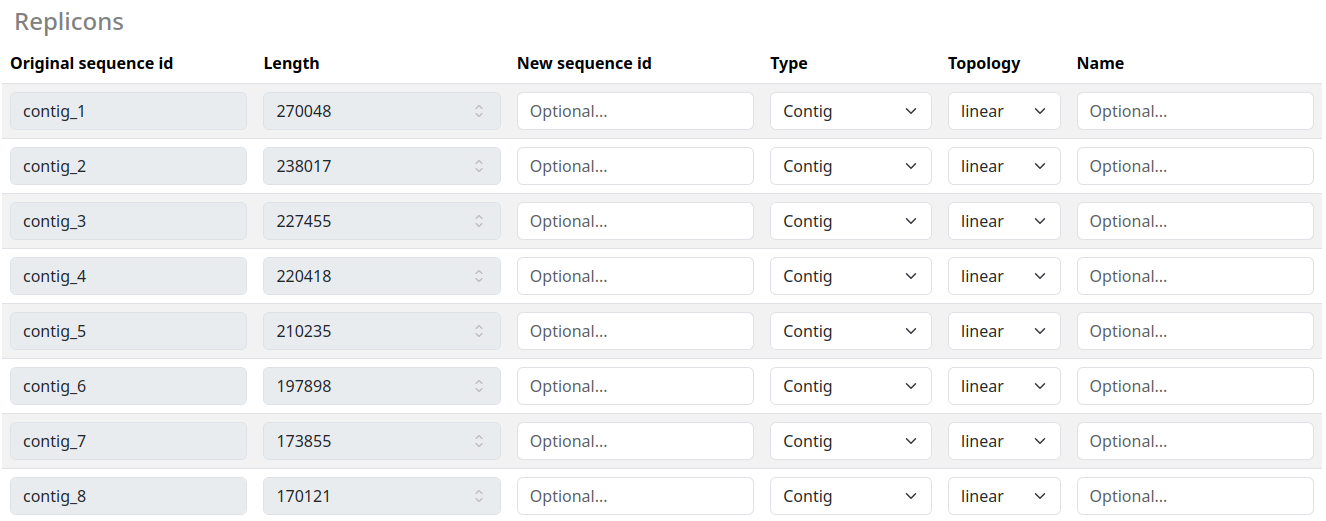
The Replicons Table displays all sequences and their associated metadata in a visual format. Here you can provide additional information about each sequence, including new identifiers and alternative names. Two critical settings in this section are Type and Topology:
- Type: Specify whether a sequence belongs to a chromosome or plasmid
- Topology: Indicate the sequence's topology
If you are uncertain about either the Type or Topology of a sequence, use ? to indicate unknown status. These settings help guide the annotation pipeline, but accuracy is more important than completeness - it's better to mark something as unknown than to provide incorrect information.